
Creating a home workspace that is both relaxing and productive can greatly enhance your work-from-home experience. Whether you’re new to remote work or looking to improve your current setup, balancing comfort and efficiency is essential. This guide offers practical tips to help you design a space that keeps distractions low and motivation high.
Why a Well-Designed Home Workspace Matters
Working from home provides flexibility but also presents challenges like distractions and blurred boundaries between work and life. A thoughtfully arranged workspace helps you separate your professional tasks from personal life while creating an environment that supports focus and creativity.
Choose the Right Location
Find a Quiet Spot
Select a quiet area where you can work without constant interruptions. If possible, pick a room or corner away from high-traffic areas like the kitchen or living room.
Consider Natural Light
Good lighting influences mood and productivity. Place your desk near a window to benefit from natural light. Avoid glare on your computer screen by positioning your monitor perpendicular to windows.
Invest in Comfortable and Functional Furniture
Ergonomic Chair
Comfort is key for long hours of work. An ergonomic chair supports your back and encourages good posture, reducing fatigue.
Suitable Desk
Choose a desk that fits your space and provides enough room for your computer, paperwork, and other essentials. Adjustable desks that allow standing and sitting can add variety and reduce strain.
Organize for Efficiency
Declutter Your Space
A clean desk helps clear your mind. Only keep necessary items on your work surface and store other materials in drawers or shelves.
Use Storage Solutions
Invest in organizers, filing cabinets, or shelves to keep documents and supplies tidy and easy to find.
Cable Management
Tidy cables improve the look of your workspace and prevent accidental disconnections. Use clips or sleeves to organize cords neatly.
Add Personal and Relaxing Touches
Incorporate Plants
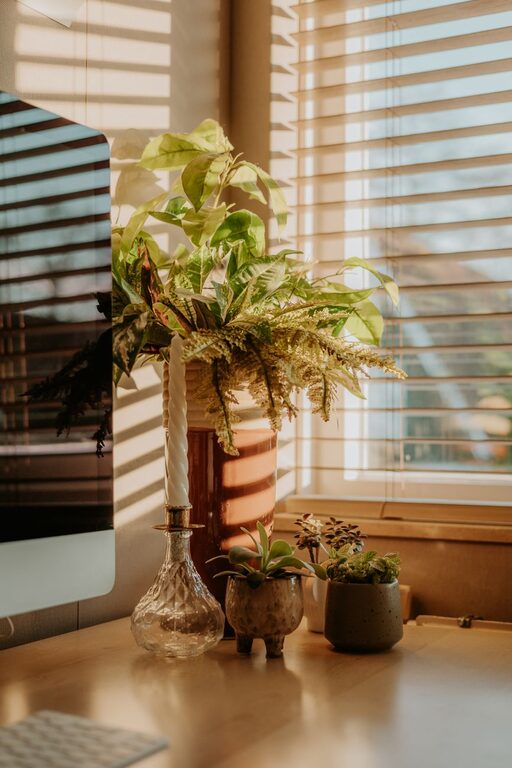
Greenery not only beautifies your space but also improves air quality and reduces stress.
Calming Colors
Paint or decorate your workspace in colors that promote calmness, such as soft blues, greens, or neutral tones.
Personal Items
Include a few personal touches like photos or artwork to make your workspace inviting without overwhelming it.
Manage Noise and Distractions
Use Headphones or White Noise
If ambient noise is unavoidable, noise-canceling headphones or a white noise machine can help you concentrate.
Set Boundaries
Communicate work hours to family or housemates to minimize interruptions.
Optimize Lighting and Screen Setup
Adjustable Lighting
Use desk lamps with adjustable brightness to complement natural light and reduce eye strain during evening hours.
Proper Monitor Placement
Position your screen at eye level about an arm’s length away to prevent neck strain.
Establish a Routine and Break Time
Regular Work Hours
Define clear work hours to help maintain balance and structure your day.
Take Breaks
Incorporate short breaks to move around, stretch, or relax your eyes. This boosts productivity and prevents burnout.
Incorporate Technology Tools
Task Management Apps
Digital tools like to-do lists or calendar apps can help you stay organized and focused.
Reliable Internet Connection
Ensure your internet is fast and stable to avoid disruptions during virtual meetings or research.
Keep Your Workspace Clean
Regularly clean your desk, keyboard, and other equipment to maintain hygiene and a fresh environment.
Final Thoughts
Designing a home workspace that is relaxing and productive is a personal process. Experiment with different layouts and elements until you find what works best for you. By combining comfort, organization, and good habits, you can create a space that supports your work and well-being.
With these tips, your home office can become a place that motivates you to accomplish your goals while keeping stress at bay. Happy working!